Components
Dialog (Modal)
A Dialog is a modal window that interrupts the user's workflow to demand a decision, confirm an action, or input information critical to the current context. It disables the page content behind it until the user takes action.
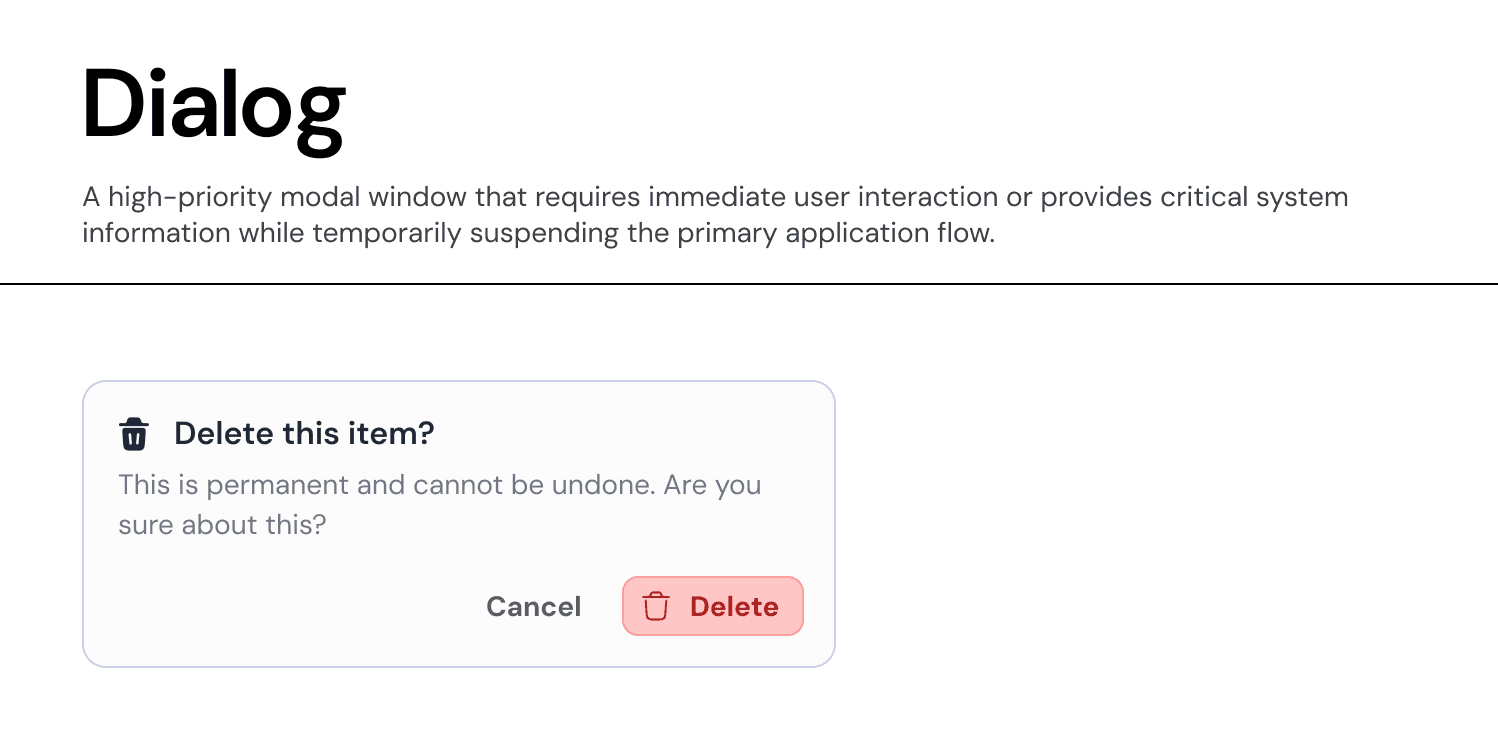
Usage Guidelines:
Do Use for critical confirmations (e.g., "Delete Item") where the action is irreversible.
Do Use for focused, short tasks that don't warrant a full page navigation (e.g., "Rename File").
Do Not Use for non-critical notifications (use a Toast instead).
Anatomy & Properties:
The Dialog is a structured container built to focus attention.
A. The Header
Heading Label: A clear, concise question or statement (e.g., "Delete this item?").
Leading Icon (Optional): A semantic icon (e.g., Trash Can) reinforces the nature of the request.
Property:
hasHeadingIcon,headingIcon.
B. The Body
Body Label: Supporting text that provides necessary context or warns of consequences (e.g., "This is permanent and cannot be undone...").
C. The Footer (Actions)
Primary Action: The affirmative command (e.g., "Delete"). Aligned to the right.
Secondary Action: The dismissive command (e.g., "Cancel").
Layout: Buttons are grouped at the bottom right to align with standard web patterns.
Variants & Semantics:
A. Standard Dialog
Used for neutral decisions or information input.
Visuals: Uses standard
Text-Neutralcolors andButton-Primary(Blue).
B. Destructive Dialog (Critical)
Used when the action results in data loss.
Visuals:
Header Icon: Uses
Icon-Semantic-Error(Red) or a specific destructive symbol (Trash).Primary Button: Uses
Button-Semantic-Error(Red Background) to signal danger.Focus Management: Focus should default to the "Cancel" button to prevent accidental deletion via the Enter key.
Behavior:
Overlay: Appears with a
Overlay-Backgroundscrim (50% opacity) to obscure the parent page.Dismissal: Can be dismissed by clicking "Cancel," clicking the overlay (if non-critical), or pressing
Esc.Constraint: For destructive dialogs, clicking the overlay is often disabled to force an explicit choice.
Join our Community Forum
Any other questions? Get in touch